Viewer Selection
An admin interface has been created to select which viewer to display depending on the archive or modality.
Viewer selection rules
Rules can be defined in order to select the viewer to display.
These rules are applied in case no viewer has been specified in the parameters of the request.
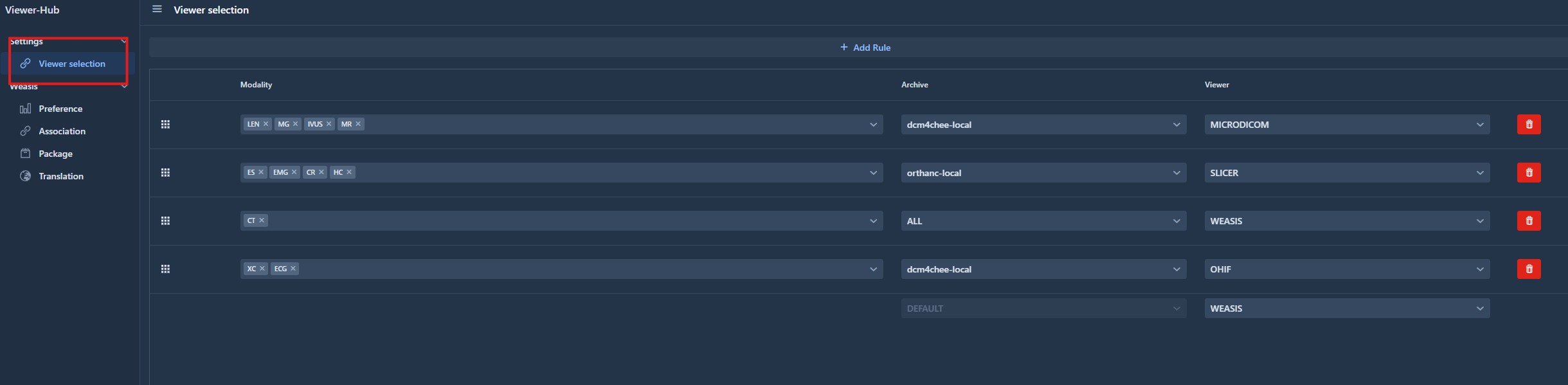
Rules
A rule is composed of a list of modalities, an archive and a viewer to launch.
Modalities
The modalities are combined using a logical OR. In other words, the rule is triggered when at least one modality is fulfilled.
Archive
A specific archive can be defined in the rule. Otherwise the option “ALL” will match all the archives requests.
Default
When starting viewer-hub, a default rule is created.
If there is no archive in the request and no rules defined or no rules matching the request, the default rule is applied and the viewer defined in this default rule is launched.

Creation
In order to add a new rule, click on the “Add rule” button
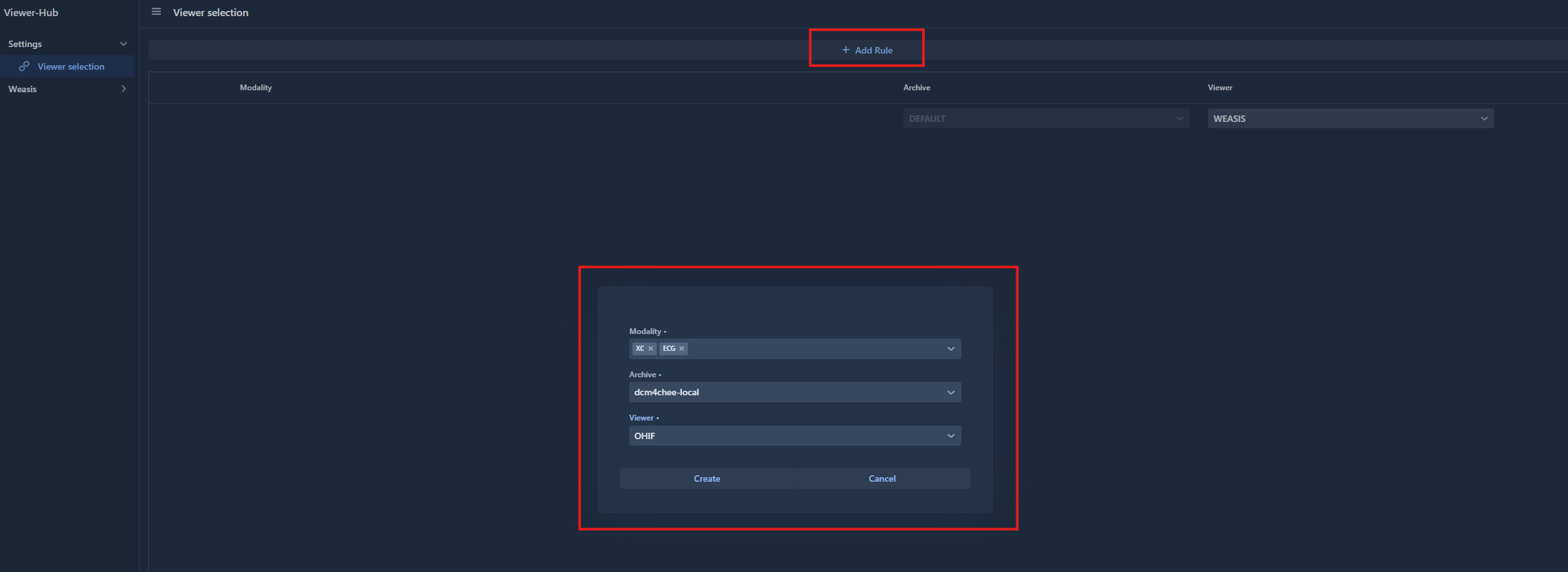
A popup will appear to configure the new rule.
Order
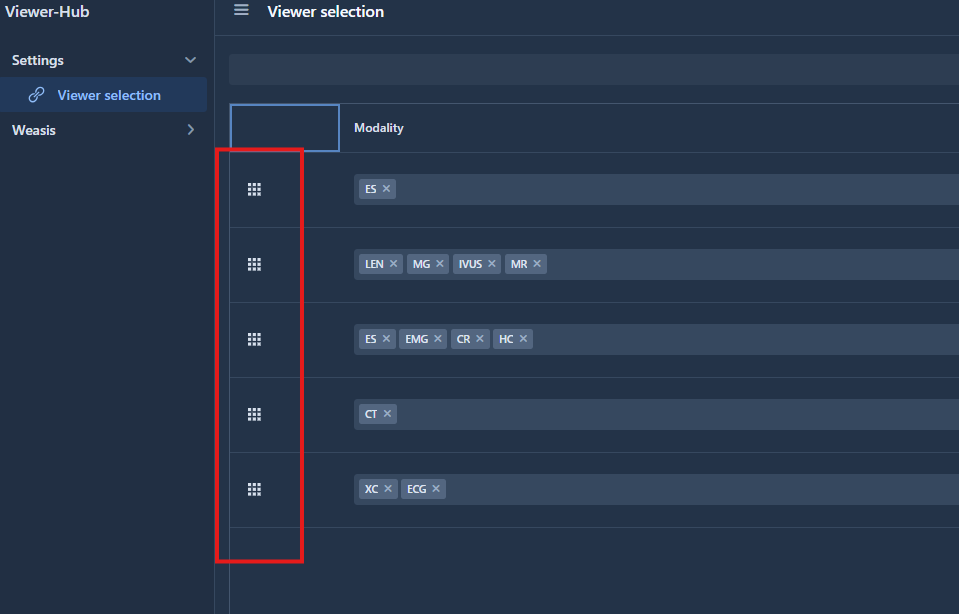
Each time a new rule is created, this rule comes to the top of the list. It means that this rule has the highest priority and so Viewer-Hub will check that the request match this rule first.
It is possible to modify the rules order by drag and dropping the icon of the left: