Language & Regional Settings
How to change the language and regional settings
Weasis separates two locale-related choices:
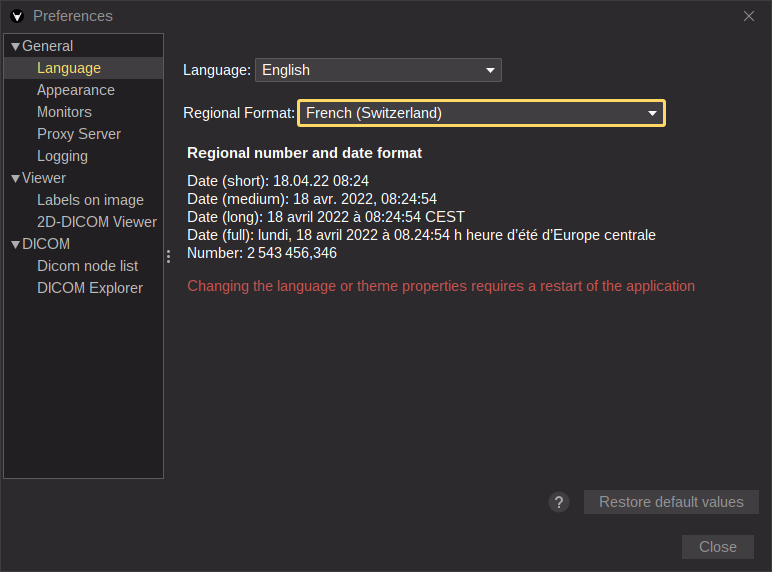
- Language — the language of the user interface (menus, tooltips, dialogs).
- Regional format — the rules used to display dates, times, and numbers (decimal separator, thousands separator, calendar conventions…). These also drive how patient lists are sorted, see the DICOM Explorer.
The two are independent, so you can run the UI in English while keeping the regional format you prefer.
Switching from the user interface
From the main menu, open File > Preferences (Alt + P) and pick the desired Language and Regional format in the General tab.
Tip
Only languages with at least 30 % translation coverage are listed. If a language you need is missing or incomplete, you can help fill the gaps — see the translation contribution guide.
Note
Dates and numbers throughout the user interface are formatted according to the selected regional format.
Changing the default locale at deployment
When deploying Weasis to multiple workstations, the default language and regional format can be set centrally via the property files instead of being chosen per user. See the preferences overview for the lookup order Weasis uses when resolving a preference.